
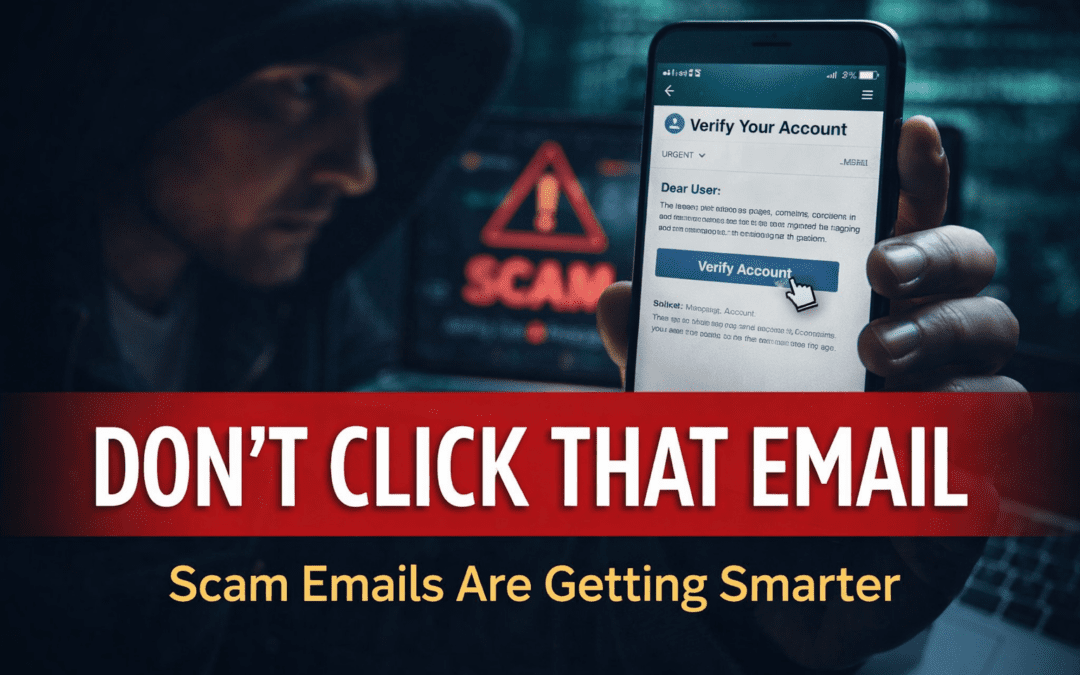
Here’s how to spot scam emails before they cost you access, money, or your business.
It looked completely legitimate.
It used my company name.
It mentioned security.
It had a clean layout.
But it wasn’t real.
In fact, it was a phishing attempt, designed to trick me into clicking a link and handing over access.
And I wasn’t alone.
The Rise of Phishing Scams (And Why They’re Everywhere)
Phishing attacks are exploding:
- Over 3.4 billion phishing emails are sent daily
- 83% of organizations reported phishing attacks in 2023
(Source: Proofpoint State of the Phish Report)
According to , phishing scams are one of the top fraud methods used today.
Real Examples (Why These Emails Work)
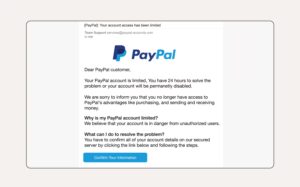
🚫 Example 1: Fake “Security Team” Email
- Claims to be internal
- Uses your company name
- Pushes urgency (“Verify Account”)
- Comes from a suspicious domain
This is called spoofing, where scammers impersonate trusted brands.
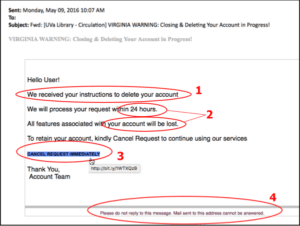
Example 2: Fake “Storage Alert”
- Claims your storage is almost full
- Creates fear of losing data
- Encourages immediate action
This tactic uses fear-based urgency, a common psychological trigger.
How These Scams Actually Work
Scammers don’t randomly guess.
They use:
- Data breaches (your email exposed online)
- Purchased email lists
- Website scraping
- Social media profiles
According to , millions of emails are exposed every year in breaches.
If your email exists online, it’s likely already in circulation.
How to Spot a Scam Email (Before You Click)
1. Check the Sender Address (Not Just the Name)
Example:
Legit companies use their own domain
2. Look for Urgency or Pressure
- “Act now”
- “Verify immediately”
- “Storage almost full”
Scammers want you to act before you think
3. Generic Greetings
- “Dear user”
- “Dear customer”
Real companies often personalize emails
4. Suspicious Links
Hover before clicking.
If it doesn’t match the company’s website:
Don’t click it
5. Poor Logic or Mismatched Branding
- Wrong logos
- Odd wording
- Inconsistent messaging
You Might Also Like: Why Your Website Traffic Is Dropping But Your Rankings Are Fine
People Also Ask (Answered Clearly)
What is a phishing email?
A phishing email is a fraudulent message designed to trick you into revealing sensitive information like passwords, credit card details, or login credentials.
How do scammers get my email address?
Through:
- Data breaches
- online forms
- public listings
- purchased lists
What happens if I click a phishing link?
You could:
- Give away login credentials
- Download malware
- Allow hackers access to your accounts
Are phishing emails illegal?
Yes. They are a form of fraud and cybercrime—but enforcement is difficult due to global operations.
How can I protect myself from email scams?
- Use strong passwords
- Enable MFA
- Avoid clicking unknown links
- Keep software updated
- Verify requests directly
How to Protect Your Business (This Is Critical)
If you run a business, this matters even more.
A single compromised email can lead to:
- Financial loss
- Client data exposure
- Reputation damage
According to , the average data breach cost is $4.45 million globally.
Best Practices:
- Enable multi-factor authentication (MFA)
- Train your team to recognize scams
- Use email filtering tools
- Regularly monitor accounts
Final Thought (Why This Matters Now)
Scams aren’t slowing down.
They’re getting:
- smarter
- more personalized
- harder to detect
The goal isn’t just awareness—it’s prevention.
Let’s Help Each Other
Have you received emails like this?
Drop your experience below
(You might help someone avoid a costly mistake)
If you’re a business owner and unsure about your digital security or online presence…
Steel Blue Media helps businesses stay visible—and protected—in a rapidly changing digital world.
If you’re unsure how to protect your business online, working with a strategic digital marketing partner can help you stay visible and secure.